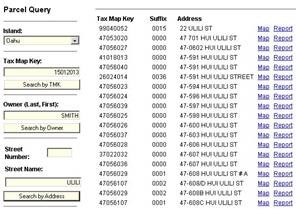
The Query\Parcels Control Panel (shown below) provides the capability to query on parcel related information (i.e. Owner, location, assessed value, TMK number, etc.).
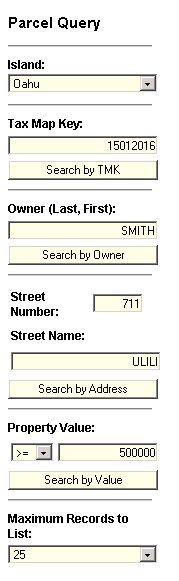
A search will be limited to the Island selected in the Island drop down list at the top of the form.
Each of the following sections of the control panel operates independently of the other sections.
Sections are divided by a horizontal gray bar…

Thus a user may select an Island, enter a Tax Map Key value and click “Search by TMK” or alternatively an
Owner name may be entered and the “Search by Owner” button clicked. The result of a search in any section is
a report listing all the parcels that meet the search criteria - such as those with an Owner named "Smith".
Also on the list are links to a detailed report and a map of the parcel.
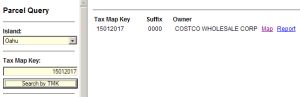
**Note: when entering an Owner name it is necessary to enter it exactly as shown in the TMK records.
Generally the names are listed with last name first, followed by a comma, and then first name, WITHOUT a
space separating them. However, there are exceptions as can be seen in the example below. To get a
comprehensive list, enter only the last name - and it may be necessary to increase the number of records to
be listed by selecting a number from the dropdown list at the bottom of the control panel.
Select the “Map” hyperlink to locate the parcel that meets the query criteria. The subject parcel will be centered in the map and highlighted red.
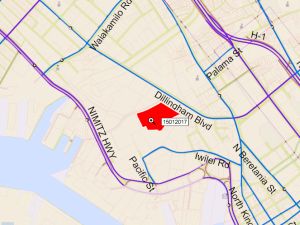
Moving the mouse over adjacent parcels allows the user to retrieve information about neighboring properties. Note that some parcels are quite small so a zoom operation may be required to see the parcel in detail.
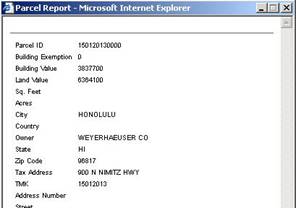
Select the “Report” hyperlink to display a report of the parcel that meets the query criteria. The report is shown in a separate popup window.
A query operation uses all of the values in the section. Thus, to see all parcels that have “ULILI” in the Street Name for example,
the Street Number (circled in red in the image below) should be blank.